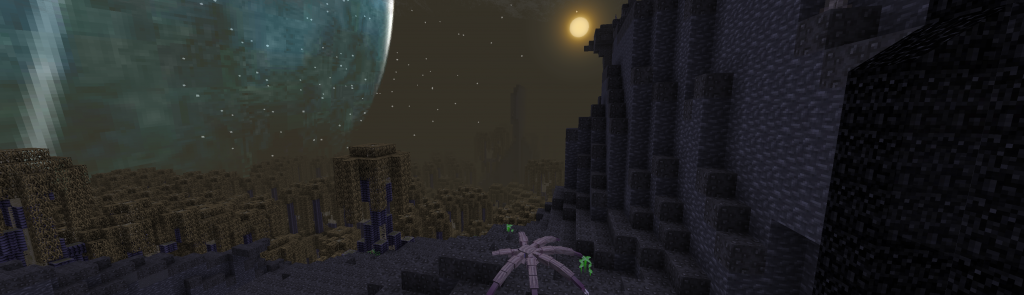
Glixyl MoSMP v3.3 pre-release video
This shows off the soon to be released Glixyl MoSMP v3.3.
If Animal Bikes v3 is not released within the next few days, I will release without it. This means that the EE2 bug won’t be fixed.
Remember to back up your Minecraft 1.2.5 folder before Minecraft 1.3 is released August 1st.
Coming Soon! – Glixyl MoSMP v3.3 client and server
UPDATE 7/23 (MoSMP v3.2 SMP Nether Portal Fix/Twilight Forest Upgrade): Twilight Forest 1.9.1 has a bug in multiplayer that breaks Nether portals in Glixyl MoSMP v3.2. To fix the Nether portals and add all the new Twilight Forest content, all one needs to do is:
client – delete %appdata%/.minecraft/mods/twilightforest-1.9.1 with twilightforest-1.10.1
server – replace Glixyl-MoSMPv3.2-server/mods/twilightforest-1.9.1-server with twilightforest-1.10.1-server
** MAKE SURE that Twilight Forest v1.9.1 server and client mods are deleted from the /mods directory otherwise it will crash the server client and throw errors.. that means you forgot to delete the old 1.9.1 mods from clients and server.
UPDATE 7/22: Dependancy issues with Animal Bikes and Forge 3.3.8 are preventing me from updating many of these mods. At this point MoSMP v3.3 is looking to be more of a patch than a major upgrade, which is sad because I wanted to update all the mods listed below. The Animal Bikes v3 mod will not be released according to Noppes forum comments until Minecraft 1.3. (meaning a month or so from now)
UPDATE 7/11: Expecting a Animal Bikes v3 for Minecraft 1.2.5 sometime this week that will work against Forge 3.3.8. Will try again if that is released soon. Otherwise I need to revert to Forge 3.2 and that won’t eliminate the duping bug in EE2; which is the reason for wanting to release MoSMP v3.3 in the first place. If nothing else, I will still release 3.3 with the new Twilight Forest and some other minor updates.
UPDATE 7/10: Found a critical bug with Animal Bikes v2 and Forge 3.3.8, so I had to start over with Forge 3.3.7 and downgrade IronChests and EE2. Now having problems with ‘out of bounds’ exceptions on medium and ultra clients… working on it, but might need to use earlier forge version yet..
UPDATE 7/8: Now bug testing version 3.3 ultra client. Have tested lite and medium clients without issue so far in SMP. Looking good to release within the next few days..
I will be releasing a final version of MoSMP for Minecraft 1.2.5. Minecraft 1.3 is coming out soon, and with that release it will take months for modders to catch up on mod content, so don’t forget to back up your .minecraft directory so that you can revert to MC1.2.5 in case of accidental clicking of Yes to update.
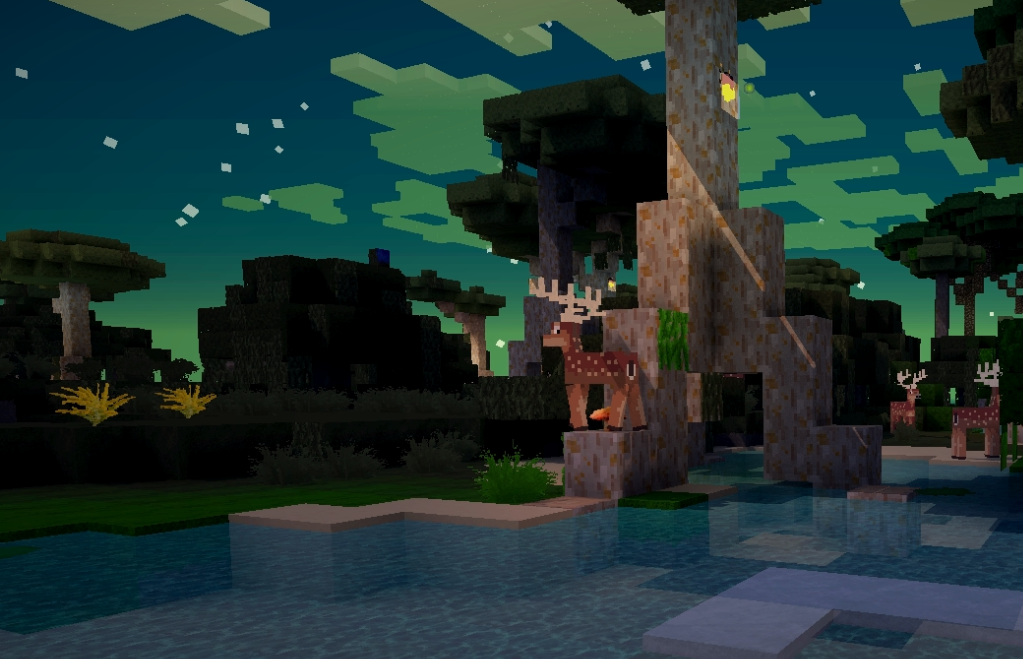
Glixyl MoSMP v3.3 Coming Soon!
FEATURES and UPDATES to MODS:
I will release version 3.3 client in three versions: Lite – for most computers and OS, Medium – between lite and ultra, Ultra – for only the most powerful computers.
Twilight Forest 1.10.1 – Adds content such as new cave systems, more spawning monsters and animals, new biomes, root systems for the trees and more items. For existing MoSMP v3.2 server upgrades, the roots and new caves will be generated in unexplored chunks.
Equivalent Exchange 2 v1.4.6.6 – fixes duping exploits and other bugs.
Rei’s Minimap 3.2_04, Optifine HD_S_C3, Forge 3.3.8.152, SimpleOres v5 and IronChests 3.7.
I want to package the final version so that it last a long time, or at least until Minecraft 1.3 content and mods catch up. If there is a mod you would like to have in the pack, please comment on this post and I will see what I can do without getting too crazy resolving block conflicts.
SERVER OPERATORS:
I will release instructions on how to update the server-side of things for existing v3.2 installations, as well as a clean v3.3 server install; from which you can just copy over your world map folder(s) into. NOTE- If you delete the DIM 7 folder in the world map folder, the server will regenerate a new twilight forest world. If you do this, please have your users grab their items from the existing twilight forest dimension and go to the overworld so that none of their stuff is lost. I did this for my little server because only a few people play on it.
Also please take a look at an article I wrote earlier this year related to tuning Minecraft server for best results; which of course also applies to this mod pack. I have found that chests open faster, crafting is less clunky and battles are more fluid with better hit detection and less latency/lag.
Studio Ghibli Map, PVP Battle with Enderdragon Bikes
Studio Ghibli has created many great animated films including Ponyo, Princess Mononoke, Spirited Away and My Neighbor Totoro.
Last year, a group of artists called the Oz Workshop created a Minecraft world based on the creations of Studio Ghibli. Unfortunately you can no longer download the map due to copyright issues.
I happen to have found a copy of this map on a laptop and loaded it into Glixyl MoSMP v3.2 server. We changed the mode of the server to PVP and decided to make a video of us fighting while mounted on Enderdragon bikes.
The video was recorded in 1080p with Glixyl MoSMP v3.2.1 Ultra client and FRAPS with the highest graphics settings.
Another longer version of the video with music is here as well.
Glixyl MoSMP v3.2.1 waving trees and grass fix
Sorry I just noticed that the trees and grass don’t wave in the breeze as seen in the videos of the v3.2 Ultra client. This was not intended.
If you are using the Lite client, this post is not for you.
To remedy this, you can:
Download Glixyl MoSMP v3.2.1 Ultra client and install over your existing. (ignore the warning about Minecraft being altered)
If you don’t want to download the whole 92MB pack, you can grab the Ultra shaders files only. These can be placed in your minecraft.jar within the /shaders directory.
This is another video taken showing the best Minecraft graphics using the Ultra client.
Glixyl’s MoSMP version 3.2 for Minecraft 1.2.5 – auto-installer and server download
***** Glixyl MoSMP v3.3 is released and fixes a few problems with MoSMP v3.2. It is suggested that you download v3.3 instead *****
Glixyl’s MoSMP version 3.2 for Minecraft 1.2.5 has been released in both Lite and Ultra versions and an auto-installer is available for download. A ready-to-run server is also available for multiplayer. You should allocate at least 2GB of RAM of heap for both client and server to keep things running smoothly. There is roughly triple the content of regular Minecraft in this pack with 4 – 50 times better graphics depending on Ultra vs Lite on various settings.
MODS: Equivalent Exchange 2, MoCreatures, Twilight Forest, Optifine, MC Forge, CraftGuide/Quickguide, Jammy’s Furniture Mod, ModLoader, AudioMod, Rei’s Minimap, SonicEther’s Unbelievable Shaders, Simple Ores, Netherrocks, IronChests, Inventory Tweaks, MAtmos sound enhancements, Animal Bikes and HD texture pack add-ons already packed for various included mods.
DOWNLOADS: (Same download for Windows, MacOS and Linux) — MoSMP v3.3 is released, only download v3.2 if you NEED to connect to a v3.2 server that hasn’t yet upgraded.
MoSMP v3.2.1 Ultra client for powerful computers (updated with waving trees and grass bugfix sorry)/ experimental – tested on Windows 7 with NVidia GTX 580. (v3.2 Ultra version is still downloadable here without waving trees and the extra eye candy if people can’t run v3.2.1 due to performance issues)
MoSMP v3.2 Lite Client for most computers – tested on Windows / MacOS, good performance by default on most modern computers and laptops with great graphics and sound as compared to default Minecraft.
MoSMP v3.2 Server – ready-to-run and auto-generates a random world, nether and twilight dimension.
NOTE** I do not support this pack or promote this with the exception of a small group of hobbyists. Back up your data. I take no responsibility if you mess up your computer because I have tested the install process on many computers with varying operating systems without issue.
INSTALL: please backup your %appdata%/.minecraft directory to preserve prior content if you need it. It is best to start from a fresh or unmodified Minecraft 1.2.5 copy, which is the current release.
Client – Unzip the contents to a directory. Run the program called “MoSMPv3.2 Installer.jar” over an untouched copy of Minecraft 1.2.5 client. It will unpack and repack your jar and mod dirs/configs.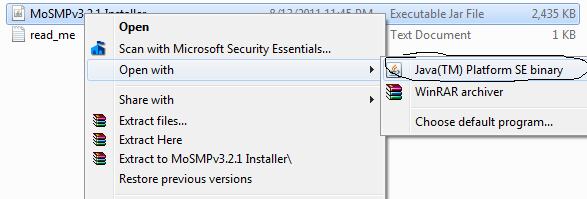
Server – Unzip the contents to a directory. Run the batch file called “start – java…” for your java version you have installed. For Linux and Mac, launch the server as per OS instructions. (check the Minecraft wikis)
PERFORMANCE TWEAKS: If you are having trouble running either the Ultra or Lite client, lower the graphics settings and/or use a lower resolution texture pack. You can install the Ultra over the Lite and back again if you want to play around with the settings. There is also a Lite shader option for the Ultra client included that you can copy over the /shader directory within %appdata%/.minecraft/bin/minecraft.jar. My computer is a beast so the Ultra client was configured for high-performance workstations with top tier video cards… no XBOX 360 graphics here 🙂
SERVER PERFORMANCE TWEAKS: see a previous post of mine about using a RAMDISK or SSD to run all of the server files. The Minecraft file system loves to be fast. Chests will open quicker and other mechanics will improve player experience.
HINTS/STRATEGY/THEME: Fantasy mod pack with end-game content. Use the ‘G’ key ingame to look at all the recipes. The Twilight Forest dimension contains boss monsters. The washing machine in Jammy Furniture mod will repair normal minecraft armor. A furniture mod sink will allow you to fill buckets forever. The Nether is more interesting in MoSMP because of extra ores and also because some of the MoCreatures monsters also spawn there now.
LINKS TO MODS located below in the MoSMPv3 post. All of these mods are from AdFly/Mediafire and I have just rearranged them to make them work together for a small group of friends. Please do not distribute these files and do not ask for help for this installer on any forums as no one will help you, including me. If you want to ask me via comment here, however, that is OK.
If you want to update any of this, please download the mods from the mod creator websites themselves so that they may receive the AdFly revenue. All credit goes to the actual mod creators, which I have listed in the YouTube video as part of this post and below.
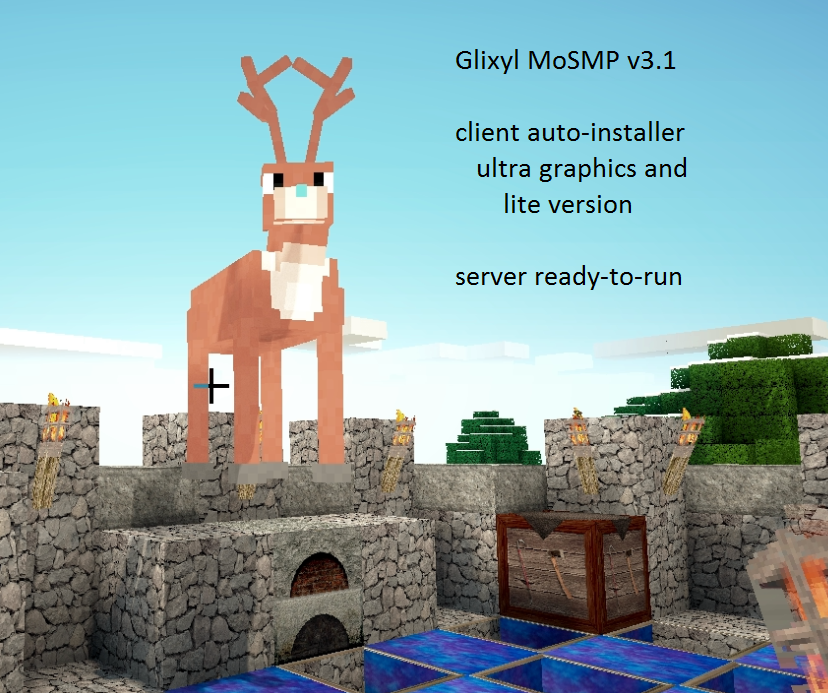
MoSMP v3.1 : bug fixes, updates and auto-installer download
I have updated the client and server to version 3.1 to take advantage of bug fixes and updates to the individual mods in this pack.
After private testing, this download is now available. The server creates a new world on hard mode survival by default, which enables all of the MoCreatures monsters. Flight is also enabled to allow the animal bikes capable of flying to operate.
The client and server should be given more memory than normal, which I have provided batch files for the Ultra client and the server to help with this. I use 2-3GB of heap for both client (ultra) and server.
KNOWN BUGS:
A couple of the item textures for the Netherrocks mod have visual artifacts. Mainly the Darkstone armor set.
The Ultra client has visual artifacts while it is raining/snowing and sometimes underground with torches and it being dark.
DOWNLOAD: (Find the newest version in the post above. I have removed the links to 3.1 so that people would download the proper version)
NOTE** I do not support this pack and this is only for a small group of hobbyists. Back up your data. I take no responsibility if you delete your computer on accident or something 🙂
INSTALL: (Windows 7- Ultra version untested on MacOS, Linux) – please backup your %appdata%/.minecraft directory to preserve prior content if you need it.
Client – Unzip the contents to a directory. Run the program called “MoSMPv3.1 Installer.jar” over an untouched copy of Minecraft 1.2.5 client. It will unpack and repack your jar and mod dirs/configs.
Server – Unzip the contents to a directory. Run the batch file called “start – java…” for your java version you have installed. For Linux and Mac, launch the server as per OS instructions. (check the Minecraft wikis)
LIST OF MODS located below in the MoSMP post. All of these mods are from mediafire and I have just rearranged them to make them work together for a small group of friends. Please do not distribute these files and do not ask for help for this installer on any forums as no one will help you, including me. If you want to update any of this, please download the mods from the mod creator websites themselves so that they may receive the AdFly revenue. All credit goes to the mod creators listed below.
Glixyl MoSMPv3 Private Release – Kreulon Revisited
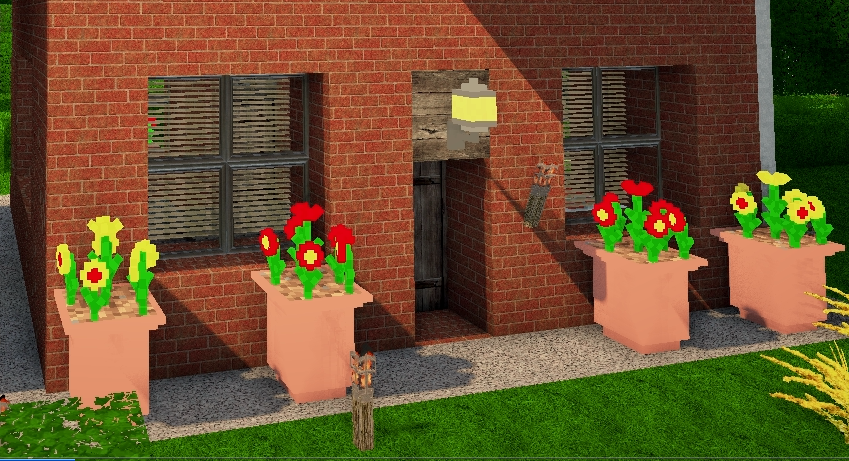 Glixyl MoSMP v3 has been released for Minecraft 1.2.5.
The client has an auto-installer that installs cleanly over top of Minecraft 1.2.5.
The server is set to auto-build a new world with the mod support as well as player and cave mapping for the minimap.
Those that play on our multiplayer server, please connect to port 54321. Kreulon Revisited is running there with a copy of the map as it existed last year.
The Lowe’s Revisited server running Tekkit will remain online. I will maintin both the current/going forward version of Tekkit and my own MoSMP mod (this mod on server Kreulon).
UPDATE : 6/2 – Glixyl MoSMPv3.2 is out. The prior files were removed in favor of the new, bug tested ones.
Glixyl MoSMPv3- Minecraft 1.2.5:Mo’ Creatures, Furniture, Dimensions, Bikes, Ores and Shaders!
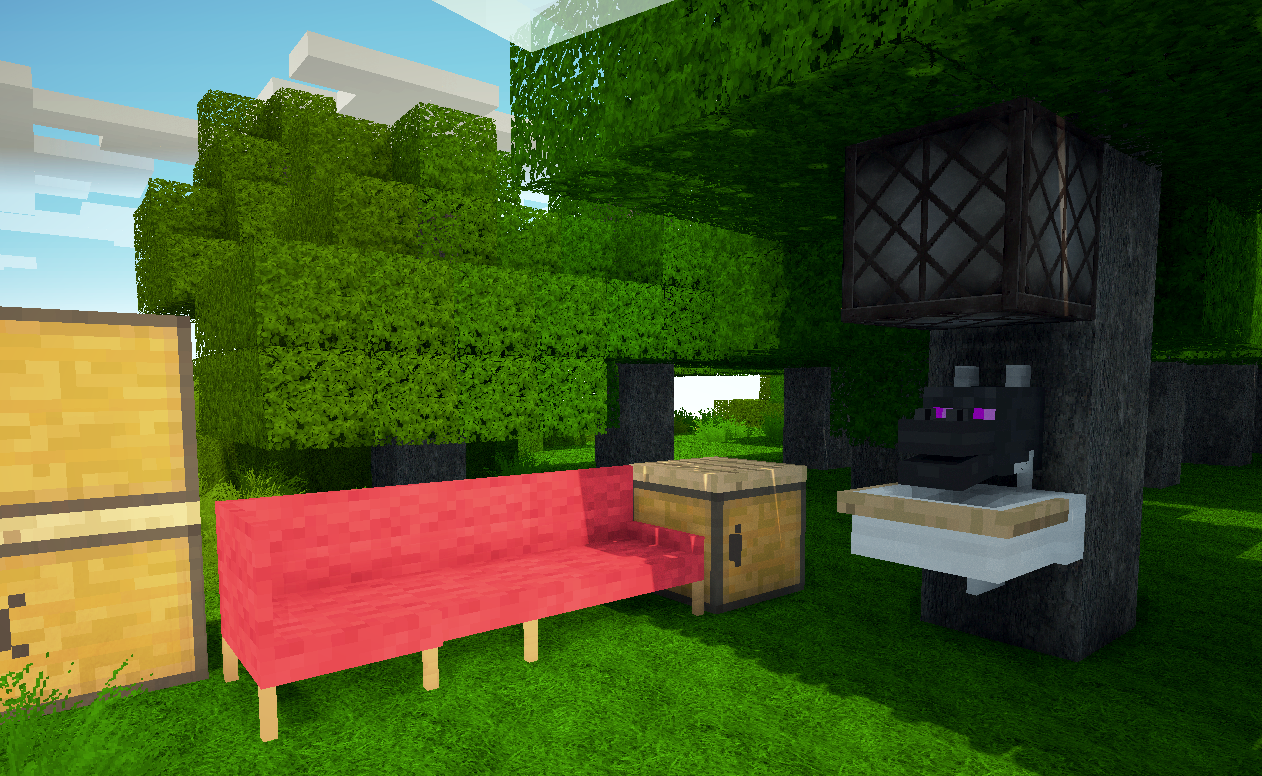
I haven’t been playing games lately and instead have been focusing on being creative and writing quite a bit. However my son recently asked me to put together a new Minecraft pack based off of 1.2.5 when we saw that MoCreatures was released in beta form.
To that end, I will release Glixyl MoSMP for Minecraft 1.2.5 that is based off of a modified vanilla client and server. The centerpiece of this mod is multiplayer MoCreatures, but I added a lightweight version of SonicEther’s Unbelievable Shaders. In addition to those, the Twilight Forest Dimension has been added which contains glaciers, boss monsters, fireflies you can catch and put in display jars, penguins, rams and other creatures specific to the new dimension.
MODS:
MoCreatures by DrZhark – adds snakes, jellyfish, stingrays, manta rays, sharks, dolphins, various fish, deer, goats, werewolves, ogres, wraith, crocodiles, turtles, mice, rats, lions, polar and brown bear, boars, bunnies, foxes, varieties of birds and more.
Jammy’s Furniture Mod – adds various furniture and appliances for looks and some function.
Forge – client and server mod allowing most of these other mods to operate together in multiplayer and single player. ModloaderMP isn’t a part of this mod pack because most people are moving away from it and I wanted this mod pack to be clean.
Modloader – mod loader
SonicEther’s Unbelievable Shaders – adds dynamic lighting, shadows, motion blur and depth of field for greatly increased immersion.
Twilight Forrest Dimension – adds another dimension with its own creatures, mazes, fortresses, powerful items and boss mobs.
Animal Bikes – adds craftable transportation such as a squid bike and dino bike.
SimpleOres – adds ores such as copper, silver, mithril. Custom armor, tool and weapon recipes.
Netherrocks – adds 6 ores to the nether with weapons and armor that are craftable from them.
MAtmos– this mod adds atmospheric sounds that add quite a bit of realism to the game.
Rei’s Minimap – multiplayer in-game map with dynamic lighting, waypoints, deathpoints and player/cave entity mapping, options accessed via ‘M’ key
CraftGuide/Quickguide – in-game recipe book accessed by pressing the ‘G’ key
Inventory Tweaks – automatic sorting of inventory, replenish tools in bar, etc.
IronChests – adds larger capacity chests and a transparent crystal display case.
Mo Creatures HD texture addon, SimpleOres HD texture addon
Hack/Mine Client and Server
Hack/Mine is a RPG-like modification currently for Minecraft 1.2 and is included in the Technic launcher. If you are able to play on Lowe’s, you can also try Hack/Mine by selecting the mod from the launcher dialog.
There are 3 classes to choose from including Mage, Warrior and Ranger.
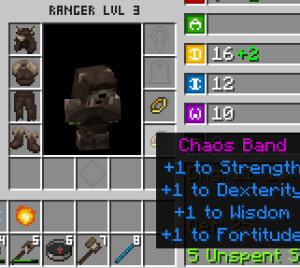
And you can play as a Steve, Dwarf, Elf or Halfling. The items magical properties remind me of Diablo.
In Hack/Mine the monster and dungeon difficulty scale as you move away from spawn. There are towers, boss monsters and accessories such as jewelry as well as magic weapons such as staves.
If you want to try this out, connect the Technic pack’s Hack/Mine client to port 12345 on the regular server. Get the Technic launcher at http://www.technicpack.net/
List of Mods, Map and Documentation for 2011 Revisited ‘Lowes’ Server
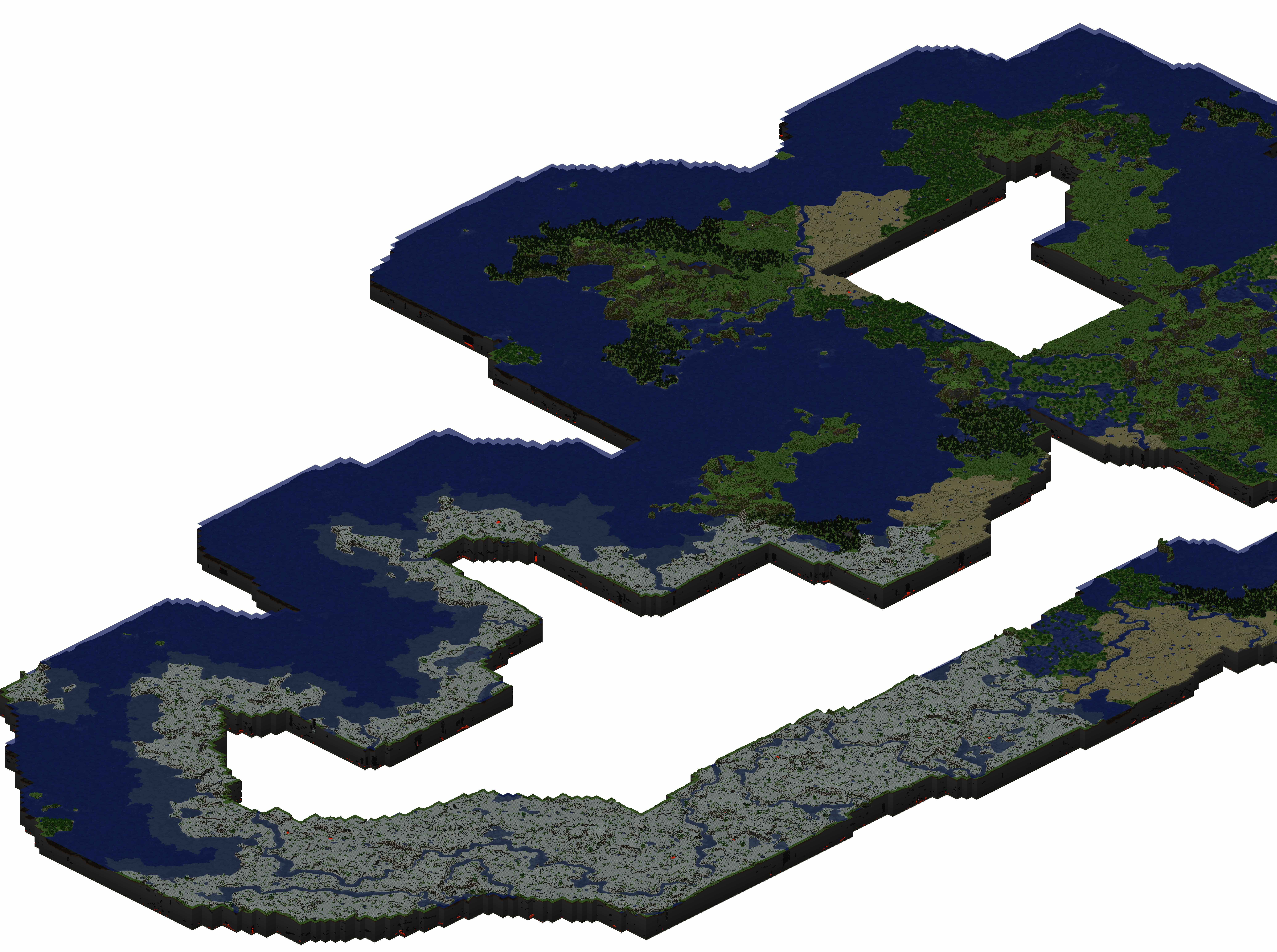
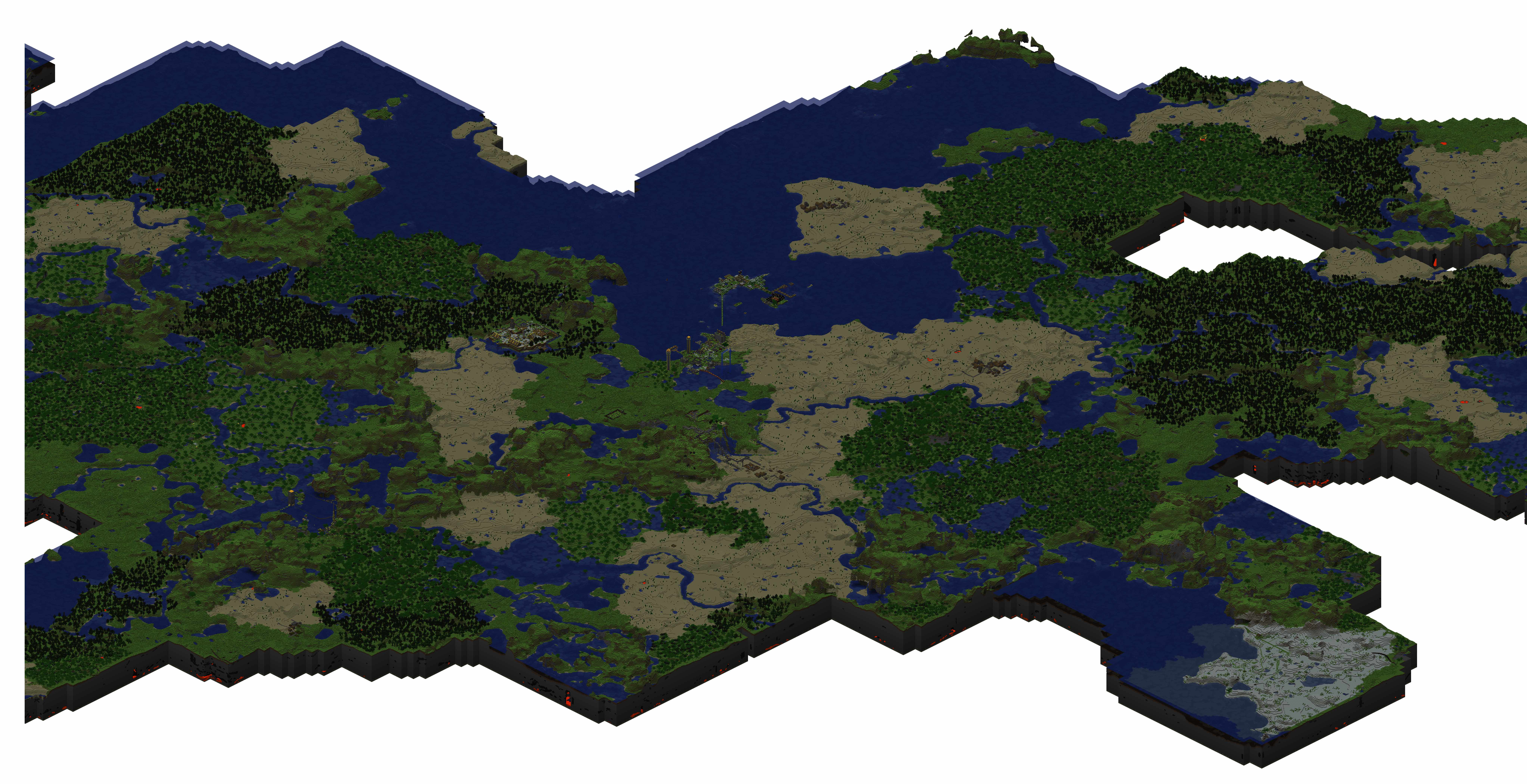

MAP OF LOWE’S SERVER – 2011 Revisited. To find the Copper, Tin, Ruby and other ores you need to explore outside the exposed map or mine the Nether. Sorry, but the map is too huge to post here in one image and it had to be split into three.
There is a very large amount of content and interplay between the mods in the Tekkit 2.1.1 pack. http://www.technicpack.net/tekkit/
The Tekkit launcher can be downloaded for Windows at> http://206.217.207.1/files/TechnicLauncher.exe
For a video of how to get / install the Tekkit pack (its very easy imo), but you can watch this if you need help>
SERVER INFO: same Minecraft server IP as always, default port (25565)
*** A WIKI FOR ALL THE TEKKIT MODS> http://thetekkit.wikia.com/wiki/The_Tekkit_Wiki
INDIVIDUAL MOD LINKS:
Buildcraft Complete Package by SpaceToad, Bukkit by Maeyanie
Additional Pipes courtesy of DaStormbringer, Bukkit by halvors
RedPower courtesy of Eloraam, Bukkit by Maeyanie
Power Crystal’s Mods courtesy of power crystals, armed_troop and TehKrush, Bukkit by davboecki, muCkk, RichardG867
Convienient Inventory by ShadowAlex
Forestry by SirSengir, Bukkit by Maeyanie
Industrial Craft 2 courtesy of Alblaka and the IC2 Team, Bukkit by muCkk
Advanced Machines for IC2 by AtomicStryker
Charging Bench for IC2 by Drashian, Bukkit by cpw
Railcraft Bukkit by CovertJaguar
Chickenbones Mods courtesy Chickenbones and Ecu
ComputerCraft by dan200, Bukkit by halvors
Balkon’s Weapon Mod by BalkondeurAlpha, Bukkit by Gamephantom
 glixyl.org