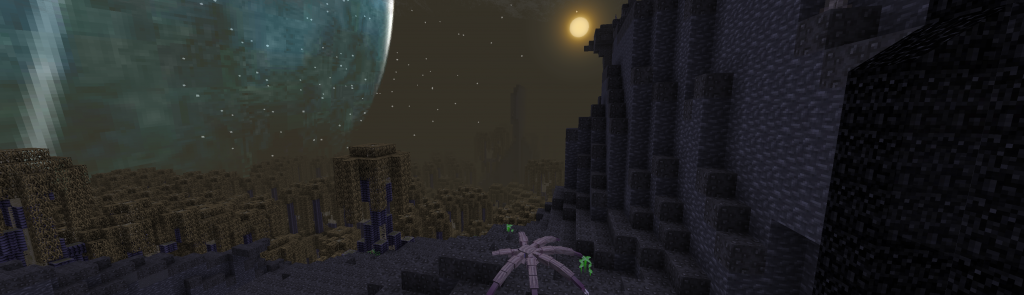
Glixyl’s Revenge – BETA2 release
UPDATE 9/2/2012– final version is released in the post above, <click here>; but I have put the final downloads below as well.
Glixyl’s Revenge is shaping up to be quite a massive and dangerous mod pack, focused on exploration, questing and advanced building. There are plenty of structures to explore in the Nether and overworld such as bandit fortresses, golem towers, lots of added dungeons and many hostile monsters. For a larger server enviroment, there are lockable personal safes, force fields and other technologies to help players secure their gear and space from griefers. Beware because the server is HARD mode by default and there are very few safe places to hide.
With 608 recipe rows and all the custom questing and creature content, this mod pack is quite a bit larger than Tekkit (to my pleasant surprise). Check the mods below and the video showing features. I will post YouTube links for mod explanations with the final release due to the crazy amount of mods and interaction between some of them. You can also add custom content to a few of the mods so see the config and mod directories on the server and client for that..
BETA2 release contains the following mods:
ForgeAPI, DungeonPack v6, Railcraft, Forestry, Buildcraft, EE2, Better World Generation 3 (default and large biome modes only supported), IndustrialCraft2 with modular force fields, Mo’ Creatures with pre-configured spawns (ostrich disabled for stability), IC2 Nuclear Control, Netherrocks, Ropes+, Millenaire (with ability to make custom quests for your server and clients), MAtmos w/weapon expansion, QuickGuide, IronChests, SummerFields 32x, IronChests, Battle Towers, Rei’s Minimap.
DEFAULT KEYS: The F key switches IC2 tool mode and jet pack hover mode. M key opens mini-map options, C key sets waypoints. G key shows all recipes.
J is village key, B is quest key, V is related to EE2 items, F7 key for toggling MAtmos sound. Check the config files and game control options for more.
DOWNLOAD and INSTALL: (click the link below to download in a new browser tab and right-click, save-as on the green box in the middle of the screen for best results)
<CLICK TO DOWNLOAD CLIENT> Unzip contents. This client and server will install over an unmodified Minecraft 1.2.5, 1.3.1 or 1.3.2. If you delete your /mods and /config folders first, it is possible to install this over a modified client as well.
<CLICK TO DOWNLOAD SERVER> Unzip contents. The server will launch by running the start bat file. If you have Java 6 instead of Java 7, change the bat file accordingly. Make a new world and explore.
<CLICK TO DOWNLOAD ULTRA CLIENT>Shown in videos for powerful gaming and graphics workstations only (Windows.. maybe MacOS too). You should allocate at least 2GB of RAM to Minecraft for the experimental client.
UPDATE: for those that have already downloaded and are having lag issues in multiplayer, you can delete the DungeonPackv6 from the client /mods directory, but leave it in place on the server. I think that is making the client and server fight over generating the dungeons. I have already updated the download for those who haven’t installed yet 🙂
Read my posts below and in the archives for more information about how to use/troubleshoot the auto-installer and tune Minecraft servers for best user experience using RAMDISK.
Suggested server settings for Revenge BETA2: 2 – 3GB of Java heap, 2GB or larger drive letter for RAMDISK with all the server files on the RAMDISK. A product like DataRam RAMDISK is free for personal use and auto-backups to physical disk at a frequency you can configure.
Glixyl’s Revenge Mod Pack – Mo’ Better than MoSMP??
UPDATE: 8/22 – Been play testing the mod pack. These are the mods to be included in the BETA2, which I will release by Friday August 24th for testing/comments because there are now 608 recipes in CraftGuide.
MODS: DungeonPack v6, Railcraft, Forestry, Buildcraft, EE2, Better World Generation 3 (default and large biome modes only supported), IndustrialCraft2 with modular force fields, Mo’ Creatures with pre-configured spawns (ostrich disabled for stability), IC2 Nuclear Control, Netherrocks, Ropes+, Millenaire (with ability to make custom quests for your server and clients), MAtmos w/weapon expansion, QuickGuide, IronChests, SummerFields 32x, IronChests, Battle Towers, Rei’s Minimap
Announcing my new multi-player mod pack, Glixyl’s Revenge. Is it better than MoSMP? We think so.. take a look at video from play testing and decide for yourselves.
THEME: high-tech, science and fantasy wrapped together in a PVP or COOP setting. Trade with NPCs, go on missions, defeat the battle towers defended by Golems, raid bandit towers for their loot, grow rubber trees, fly around in a jet pack, play with advanced rails, make a Tesla coil and much much more!
Coming as soon as we feel there are no embarrassing bugs or conflicts so you can just have fun.
Glixyl’s Entropy Mod Pack – RELEASED FOR SSP ONLY
<DOWNLOAD RELEASE> <<download single player release for Minecraft
With most of the attention in the Minecraft modding world firmly on Forge mods nowadays, there is a rift in mod features and capabilities. You see, Forge and ModloaderMP aren’t compatible. In SMP that means Flan’s mods aren’t compatible with Mo’ Creatures, buildcraft and most other popular mods.
I was talking to CaptainRob the other day and we tossed around some ideas around about a chaotic environment with goals. I read through the forums and looked for what was available. Considering that I based Glixyl MoSMP off of powerful and popular Forge mods, I decided to give ModloaderMP a chance and put the Entropy mod together from ModloaderMP mods such as Battle Towers, Natural Disasters, Minecraft Minions, the Thirst mod and more.
Entropy can be defined as the measure of disorder in a system and I am hoping for plenty of it, balanced with reward to make things fun.
THEME: Raid villages to survive while mother nature tries to kill you from thirst, hunger, meteorites, volcanoes and terrain monsters. Run and hide, if you can!
Overrun by Ostriches? Here is the server config fix
UPDATE: Ostriches are not possible to completely disable as I have tested over and over again. When you are next to/in the desert they will spawn. I have read the source code and their spawn/despawn is broken.. v3.7.1 of Mo’ Creatures conflicts with so many of the other mods that I can’t put it in the pack. My advice for both Mo’ SMP and Revenge that players kill the Ostriches on sight.. always. Destroy eggs/etc.. as if they were a feature of the game to get rid of 🙂
Mo’ Creatures 3.6.2, which is part of the Glixyl MoSMP mod pack, has a bug where ostriches over-breed and a busy server will soon lag out.
CaptainRob alerted me to that fact today and I believe I have found a fix:
- If your server is OK (not locked up or completely lagged to the point of crashing because of ostriches), kill all the ostriches and skip to step 3.
- Remove the mod “DrZharks MoCreatures Server v3.6.2.zip” from the server /mods folder and copy it to another location (we will need it in step 5)
- You must obtain a guiconfig.properties file for Mo Creatures. You can generate it yourself by making a single player game (using the Glixyl MoSMP client) and changing the Global Mod Options of Mo Creatures config so that ostriches don’t spawn often by setting “FreqOstrich=1” instead of its current setting of 4. It will be saved to .minecraft/mods/mocreatures/guiconfig.properties. You can also change other variables to your liking for monster and animal spawn now as well! (fun for devious server owners)
- Create a “mocreatures” folder in your servers “mods” folder and copy the guiconfig.properties file there. Skip to step 6.
- Add the mod “DrZharks MoCreatures Server v3.6.2.zip” to the server /mods folder
- Restart your server.
Since this mod pack is tied to an older version of forge, we can’t update to Mo’ Creatures 3.7.1 because of a Animal Bikes v2 dependency until all the mods are caught up on Minecraft 1.3. Until then, apply this fix.
Please let me know of any issues with my mod pack by posting comments.
Here is a video showing the problem.
SonicEther’s Unbelievable Shaders v10 BETA – first look at water shaders!
Just made and edited this video highlighting SonicEther’s unbelievable shaders v10 BETA. For a long time, people have wanted water shaders combined with other mods; especially SonicEther’s dynamic lights, shadows and other effects.
I was blown away by this mod when I was able to easily get it working against Glixyl MoSMP v3.3 and here is the footage! Great work SonicEther!
I have packaged a new client used to make this video with the water shaders. It should run on any modern gaming computer, but is experimental and there are some visual artifacts. The texture pack is hard-coded because it is tied to the shader and is not my normal Glixyl MoSMP (KDS Photorealism) texture pack.
>DOWNLOAD FOR EXPERIMENTAL WATER SHADERS combined with Glixyl MoSMP. This will install over top of any Glixyl MoSMP v3.3 client version and you can go back to the Lite client version by simply installing over it again.
Glixyl SMP for Minecraft 1.1: Flashback video and NEW server download
The Glixyl SMP mod pack for Minecraft 1.1 focused on advanced building and high-technology and featured beautiful trees and terrain mated to a great texture pack.
I am contemplating release of an updated version of this mod pack. I find Tekkit to be a little too busy and this mod pack contained mods that aren’t found within Tekkit.
I never released a downloadable server component for Glixyl SMP for Minecraft 1.1 until now.
DOWNLOAD the original Glixyl minecraft pack and server:
Server – Glixyl SMP for Minecraft 1.1, version 0.5 -*NEW*-
Client – Works on Windows, MacOS and Linux – version 0.5 auto-installer for Minecraft 1.1 (also will install over most Minecraft 1.3 fresh installations – always backup your .minecraft directory before modding)
Glixyl MoSMP v3.3 – Minecraft 1.2.5/1.3 Auto-Installer and Server
Glixyl MoSMP v3.3 is finally released. There are bugfixes that make it worthwhile to do a fresh install using the auto-installer. Or, you can simply patch your existing MoSMP client and/or server using the method in the post below this one.
WHY SHOULD I UPGRADE?:
- Repairs Nether portals
- Adds content to the Twilight Forest dimension
- Fixes Netherrocks textures that were previously messed up in the Lite client version
CLIENT VERSIONS: (NOTE– You can install this mod pack over a unmodified/fresh Minecraft 1.3 install. Your /mods and /config directory should be empty before you install. Ignore the warning about it not being 1.2.5 and install.)
- Lite – 64-bit textures, Fast graphics quality (Suggested for most computers. Works well on Windows, MacOS and Linux) – download link
- Medium – 128-bit textures, extra HD textures, Lite shaders, Fancy graphics quality (For gaming workstations and laptops) – download link for Nvidia graphics users (tested), download link for ATI Radeon users (update to Beta Catalyst drivers to eliminate transparency issues), download link for MacOS (let me know how this works and revert to the Lite version above if you have issues).
- Ultra – 256-bit textures, more HD textures, Ultra shaders, Fancy graphics, DOF, Motion Blur, Mipmapping (For extreme gaming and graphics workstations only. Featured in my HD Glixyl MoSMP videos) – Nvidia download link, ATI Radeon download link
- Start with an untouched copy of Minecraft 1.2.5/1.3 (or for those upgrading from Glixyl MoSMP v3.2(.1), you need to delete your .minecraft/mods and .minecraft/config folders before attempting to install over v3.2). NOTE** If you have a modded Minecraft client, you can also just erase your .minecraft folder after backing it up; then use the Minecraft launcher to get a fresh copy of Minecraft 1.2.5. The Minecraft game files are located in %appdata%/.minecraft
- Unzip the contents of Glixyl-MoSMPv3.3-client version to a directory. This is usually done by selecting the file and right-clicking to select ‘extract the contents to a directory..’, depending on the operating system.
- Run the program called ‘MoSMPv3.3 Installer’. This is usually done by right-clicking the file and selecting (on Windows) ‘Open with->Java(TM) Platform SE Binary’. (or just double-click it)
- Because the mods require more Java heap than standard, especially the Java client, it is highly-suggested that you allocate at least 2GB of heap (RAM). I have included a batch file that you should be able to copy to your desktop and run called “minecraft launch from desktop for more RAM.bat”. You should be able to simply copy it to your desktop and double-click in on Windows to start up Glixyl MoSMP v3.3! (On MacOS and Linux- just Google for how to add more memory to Minecraft)
- Download and extract the contents of the Glixyl MoSMP v3.3 server zip.
- If you are not upgrading from Glixyl MoSMP v3.2 on an existing server, skip to step 4.
- Copy the ‘world’ directory from your existing Glixyl MoSMP v3.2 server and any server configuration files that you have edited into the new Glixyl MoSMP v3.3 server directory.
- Start the server by selecting the appropriate batch file for your installed version of Java. ** By default, I allocate 2GB of heap to the server.
MODS:
- Equivalent Exchange 2
- MoCreatures v3.6.2
- Twilight Forest 1.10.1
- Optifine Smooth (I didn’t update this because there are Forge dependencies)
- Forge
- CraftGuide/Quickguide (Hit ‘G’ key in-game for all recipes)
- ModLoader/AudioMod
- Rei’s Minimap (Hit ‘M’ key in-game for map options. Hit ‘Z’ to zoom map)
- SonicEther’s Unbelievable Shaders
- Jammy’s Furniture Mod v3.6
- SimpleOres
- Netherrocks (textures fixed for netherrock ores)
- IronChests
- InvTweaks
- MAtmos sound v12 with weapon enhancements (adds all kinds of sounds to the game)
- Animal Bikes v2
TROUBLESHOOTING:
- If you are getting errors upon loading such as block conflicts, make sure that your /mods folder only contains one Twilight Forest mod. You want to keep the 1.10.1 version and delete the 1.9.1 if that is the case.
- If you are suffering performance issues on the Medium or Ultra client, change your texture pack to a 64-bit one and set graphics to FAST and trees to FANCY so the waving leaves look better. Also lowering the render distance can help.
- The Medium and Ultra versions of the client are known to have some visual artifacts during weather and sometimes when placing torches. The ATI version supposedly fixes this, with a coming fix for Nvidia.
- The textures for some monsters in this version of Mo Creatures mod are flawed and cannot be fixed until all the mods in this pack support Forge 3.3.8 or above; which is not currently the case.
- You can install MoSMP v3.3 client versions over top of one another. For instance, if you install Ultra and its too slow; install Medium over top and vice-versa. You should also be able to install MoSMP v3.3 over top of a Minecraft 1.3 client after it is released.
Glixyl MoSMP v3.3 is a patch release, but still looks like pre-release video
After trying for quite some time, I have given up on trying to do a major update release for Glixyl MoSMP 3.3. Forge dependencies related to Animal Bikes v2, Forge 3.3.8 and other mods will not allow me to do a major update. Instead, MoSMP v3.3 is a patch release with a clean download for those people NOT upgrading an existing server. Today, the patch. Over the next few days I will release the whole package for new users and servers.
NOTE: MoSMP v3.3 still looks and behaves just like the video I posted a few days ago.
What the patch does:
SMP Nether Portal Fix – twilight forest 1.9.1 was breaking Nether portals. Updating only this mod to version 1.10.1 fixes the problem, but it needs to be done on the client and server.
Twilight Forest Content – adds cave systems, goblins and other hostile monsters and their items to the twilight forest (awesome content).
(HOW-TO-PATCH MoSMP v3.2 to 3.3)
client – delete %appdata%/.minecraft/mods/twilightforest-1.9.1.zip. Put Twilight Forest 1.10.1 client in its place within the same %appdata%/.minecraft/mods directory. The link on the download page reads ‘Download v1.10.0’
server – delete Glixyl-MoSMPv3.2-server/mods/twilightforest-1.9.1-server.zip. Put Twilight Forest server, also downloadable here, in its place.
– the author of Twilight Forest uses AdFly links for downloads. (tip- if you click on the ‘skip ad’ button in the upper right-hand corner, then ‘save-as’ on the green dialog box that says download in the middle of the screen it will go easier)
What the coming release/installer will do:
Allow a new server and clients to download and install a fresh copy of MoSMP v3.3 with some minor tweaks to the 3.2 build. (existing servers and clients should just patch if they are happy with Glixyl MoSMP and don’t want to mess around)
Make sure to back up a fresh copy of Minecraft 1.2.5 in case you want to play with the full MoSMP v3.3 release or update to Minecraft 1.3 on accident in August.
CaptainRob Gaming Plays Glixyl MoSMP
CaptainRob Gaming and his friends play Glixyl MoSMP in this series of videos. I found them very entertaining so far, especially due to the amount of hostile monsters, animals and death in general that happened so far in the 30+ minutes of footage. They try to establish a new base with some… difficulties 🙂
-
Recent Posts
- 7 DayZ to Mine install fixed
- Glixyl’s Entropy getting a Soundtrack
- Entropy Public Server Open
- Entropy video on YouTube
- Glixyl’s Entropy Updated to Minecraft 1.12.2!
- Glixyl’s Entropy being updated to Minecraft 1.12.2
- Prometheus Rising updated – version 019
- Inside the Mod #4 – Interview with Amaxter about Prometheus Rising
- Prometheus Rising version 018 Released
- Prometheus Rising Promo by Ulandos
- Prometheus Rising v017 Released
- Howto: Install Technic Packs for Minecraft
- AVP: Prometheus Rising updated to 016
- Prometheus Rising 015 Released
- Prometheus Rising version 013 released
Menu
Archives
- December 2021
- July 2019
- March 2019
- February 2019
- January 2019
- March 2017
- February 2017
- December 2016
- November 2016
- July 2016
- April 2016
- March 2016
- February 2016
- December 2015
- November 2015
- October 2015
- August 2015
- July 2015
- April 2015
- March 2015
- February 2015
- January 2015
- November 2014
- October 2014
- September 2014
- August 2014
- April 2014
- March 2014
- January 2014
- December 2013
- October 2013
- August 2013
- July 2013
- June 2013
- May 2013
- April 2013
- March 2013
- February 2013
- January 2013
- December 2012
- November 2012
- October 2012
- September 2012
- August 2012
- July 2012
- June 2012
- May 2012
- April 2012
- March 2012
- February 2012
- January 2012
Meta
 glixyl.org